Submitting your PhD into Biblio
Once you have successfully defended your PhD, you must provide Ghent University's library with a digital copy of your dissertation. To do so, visit https://biblio.ugent.be/ and click "add publications" in the upper right corner.

In the next screen, select "Publications." You will be prompted to log into your UGent account, if you aren't already logged in.
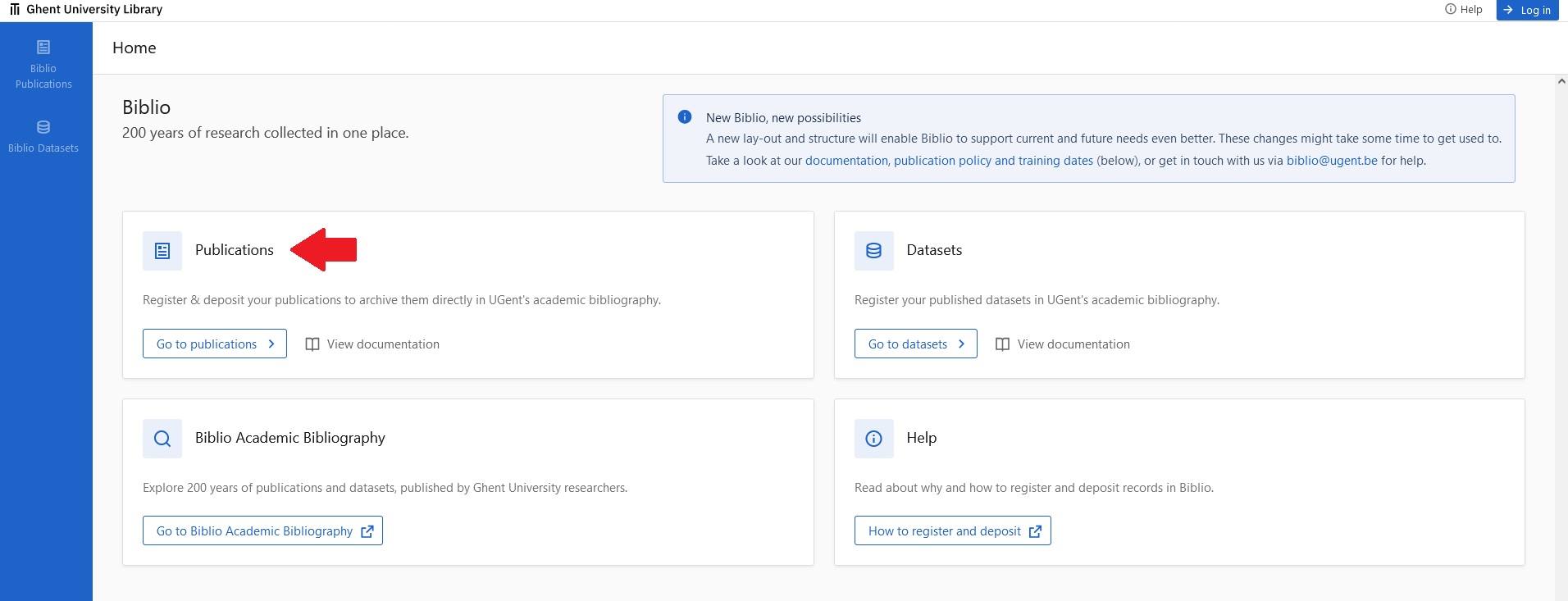
When you're logged into your UGent account, click "add publications," top right of your screen.

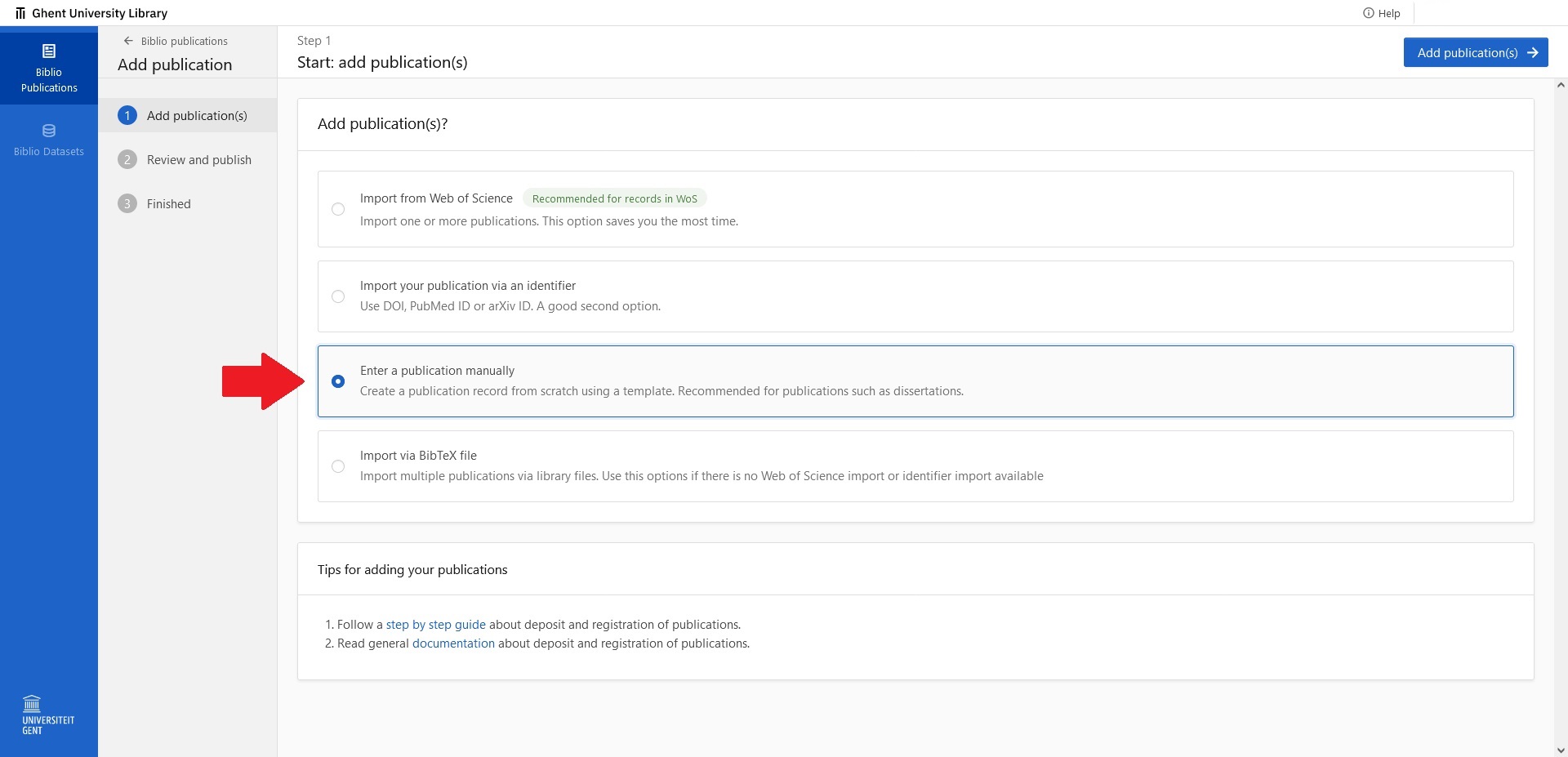
Next, select "Enter a publication manually," and click "add publications," top right of your screen.
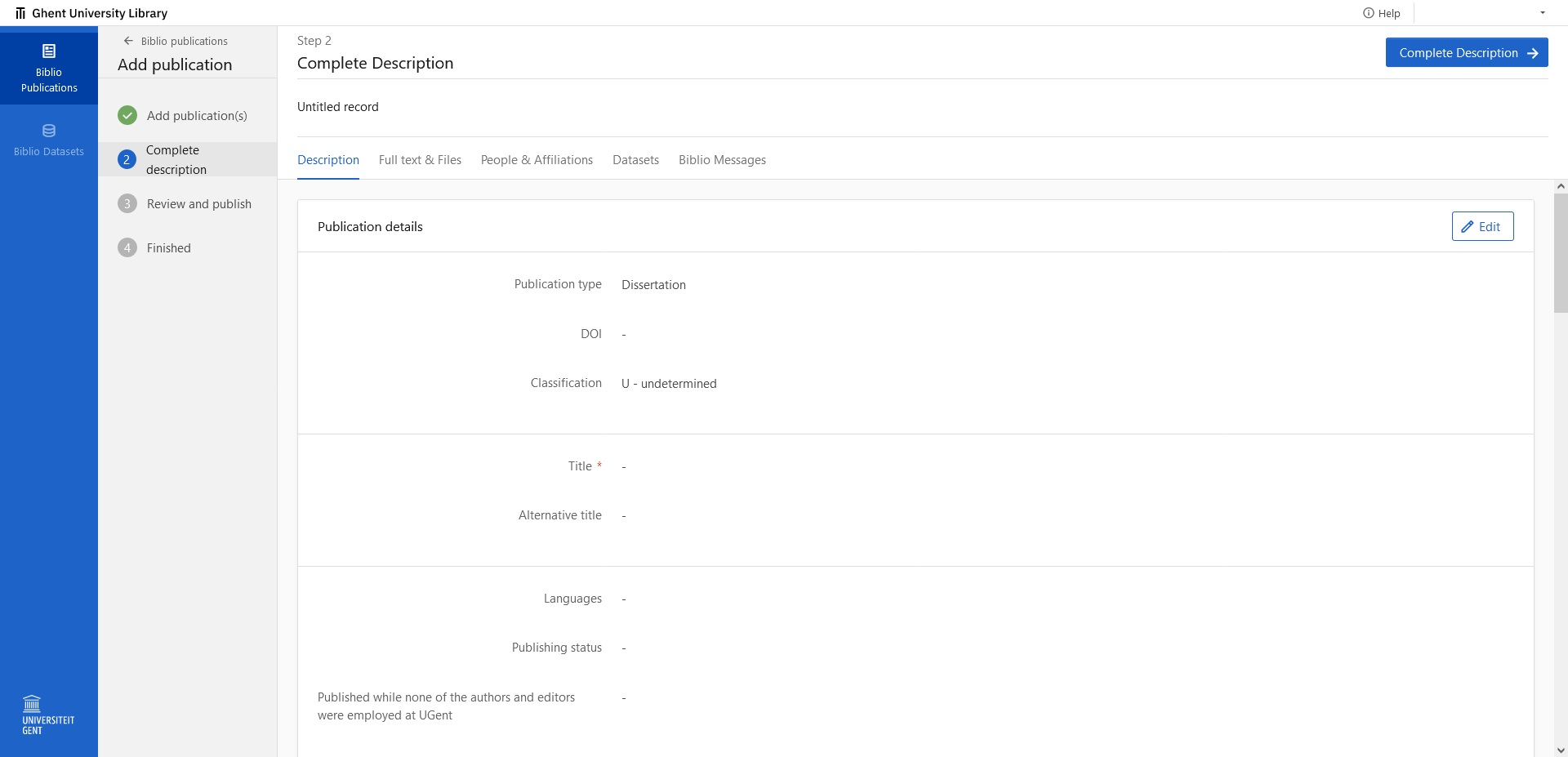
Complete the description of your dissertation by filling out the relevant fields. Once you've completed these, click "complete description," top right of your screen.
Finally, review and publish your Biblio entry.